Device Info
Your EP's home screen: identity, storage, firmware and backup health at a glance
Overview
Device Info is EP-PatchStudio's home screen. Connect your Teenage Engineering EP over USB and it becomes a dashboard for the machine: who it is, how full it is, whether it's backed up, and where to go next. It works the same for the EP-40, EP-133 and EP-1320, and it's free.
It also works with nothing plugged in. When no device is connected, the dashboard says so and points you at the Sample Editor, because plenty of EP-PatchStudio (editing samples, building kits, prepping packs) doesn't need the hardware connected.
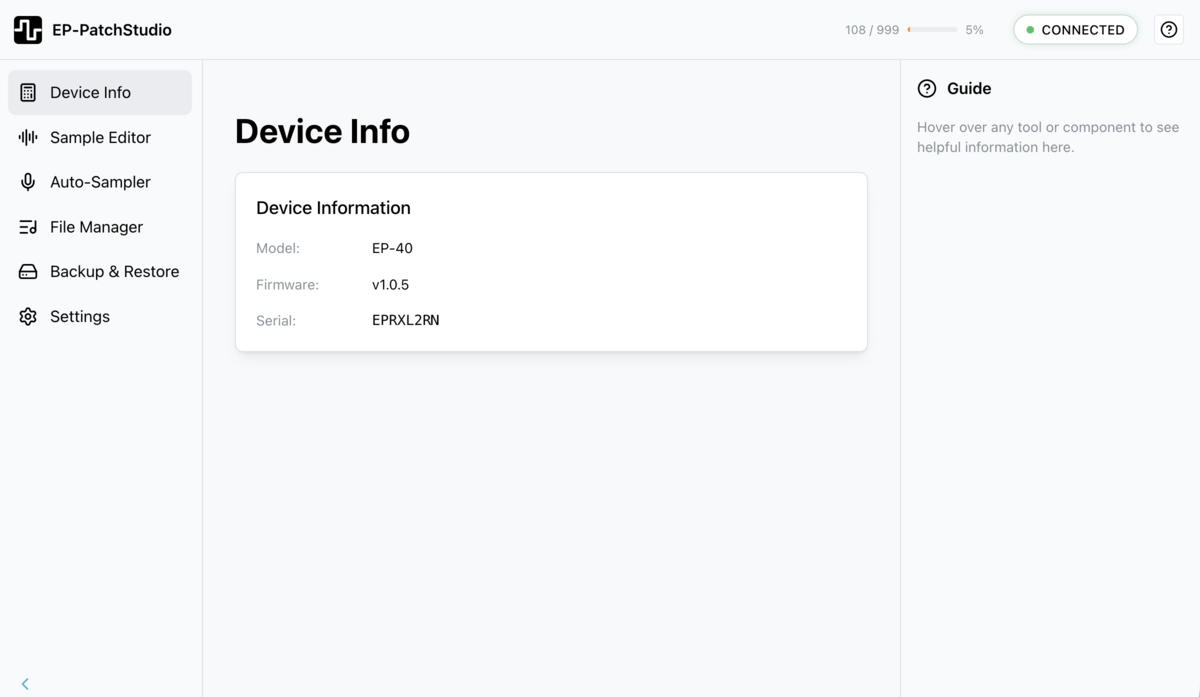
Connecting your device
Step-by-step connection guide:
- Power on your EP device: Ensure your EP-40, EP-133 or EP-1320 is turned on
- Connect over USB: use a data-capable USB cable to connect your EP to your computer or phone
- Wait for detection: EP-PatchStudio will automatically detect the connected device
- Verify connection: the dashboard header shows a green status dot and your device's model once it's detected
Who your device is
The header names the connected device and shows a picture of that exact model, so you can tell at a glance you're talking to the right one. A green status dot marks it as connected. Alongside it:
- Nickname: give each device a name ("studio 133", "gig 40"). It's stored per device and shows up later in your backup history, so backups are easy to tell apart. Up to 40 characters.
- Firmware: the current version, with a badge if an update is available or a note that you're up to date.
- Device details: expand for the serial, SKU, software and bootloader versions, and current mode, handy when you need to quote them in a support message.
How full it is
Storage is a single bar. It shows how many of the 999 sample slots are used, how many megabytes are used and free, and a rough estimate of how many more samples you'll fit at your current average size. As it fills, it nudges you: a gentle heads-up around three quarters full, a firmer one when it's nearly out.
Backup health and quick actions
The backup card tells you how long it's been since your last device backup, colour-coded so you don't have to think about it: green if it's recent, amber if it's been a while, red if it's overdue or you've never backed this device up. Back Up Now takes you straight to Backup & Restore.
Quick Actions is a row of shortcuts to the tools you actually use: File Manager, Project Library, Auto-Sampler, Sample Packs and Backup & Restore. There's also a Load a Set menu, so you can drop a whole Project Set onto the device without leaving the home screen.
Troubleshooting connection issues
If your device is not connecting:
- Check the USB cable: Ensure you're using a data-capable USB cable (not charge-only)
- Try a different USB port : Some USB ports may have better compatibility
- Restart your device: Power cycle your EP device
- Restart the app: Close and reopen EP-PatchStudio
- Check device drivers: Ensure your operating system recognises the EP device
Next steps
Once your device is connected, you can: