Project Viewer: Effects, Stems and Piano Roll
v0.32.0 adds a full WebAudio effects engine, audio stem and MIDI export, and a piano roll view to the Project Viewer timeline.
Your projects finally sound right
Up until now, Project Viewer playback was dry. You could see what was in a project and hear the raw samples, but the effects were missing. That made everything sound flat compared to what comes out of the hardware.
v0.32.0 fixes that. Playback now runs through a full WebAudio effects chain: delay, reverb, distortion, chorus, filter, compressor and phaser. Parameters are read directly from your project data, so what you hear in EP-PatchStudio is close to what you hear on the device.
Export stems and MIDI
Two things people have been asking for since early access:
- Stem export: bounce individual pads or entire groups as separate WAV files. Pull your EP patterns straight into Ableton, Logic, Reaper or whatever you use.
- MIDI export: export patterns as .mid files. Useful if you want to rework a sequence on your computer or drop it onto a different instrument.
Both are available from the Project Viewer toolbar.
Piano roll timeline
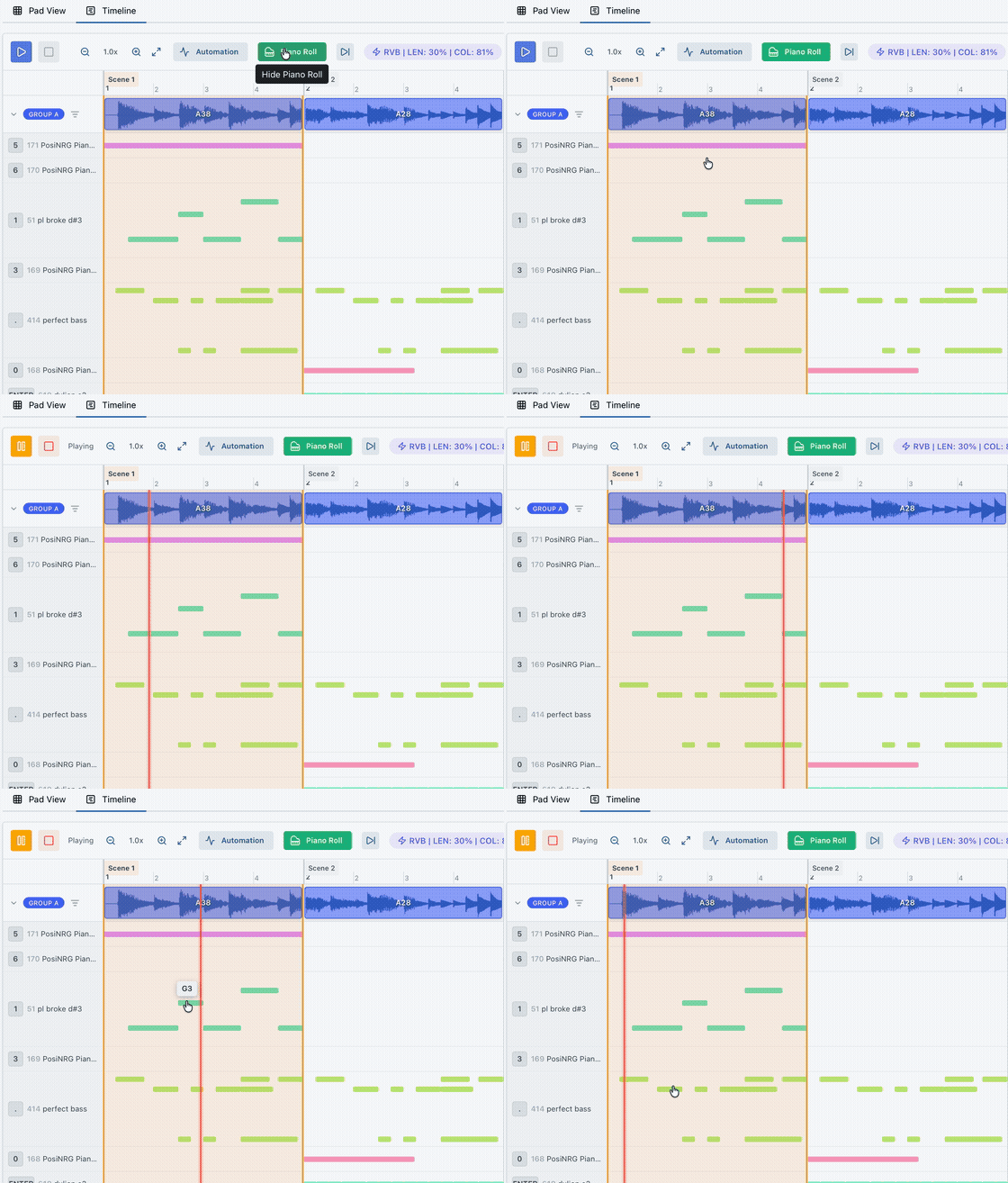
The timeline now has a piano roll view mode with per-pad lanes, MIDI note badges and click-to-preview. Pitched parts that were hard to read in the old step view are now laid out clearly.
Bug fix
One other thing in this release: the multisample play mode no longer reverts after uploading to a device. That was an annoying one.
Update
If you already have EP-PatchStudio installed, the app will prompt you to update when you open it. If you haven't tried it yet, download it free.
Full details are on the changelog.